
Visibility settings give you complete control over how your protocols are shared. Whether you want to keep a protocol private for personal use, share it with select individuals, or make it available to the entire Essential Protocols community, you have the power to decide.
Pro Feature
Understanding the Three Visibility Levels
Private
Default SettingOnly you can see this protocol. It won't appear in search results, the Discover page, or anywhere else on the platform.
Best for:
- Personal protocols you're still testing
- Family-specific remedies with identifying information
- Work-in-progress protocols you'll share later
- Protocols with proprietary information
Shareable Link
Semi-PrivateAnyone with the direct link can view this protocol. It won't appear in public searches or the Discover page, but it's accessible to those you share the link with.
Best for:
- Sharing with specific clients or friends
- Private wellness group collaborations
- Protocols you want controlled access to
- Testing protocols with a select audience before going public
Public
Community VisibleEveryone can discover this protocol through search and the Discover page. It's fully visible to the entire Essential Protocols community.
Best for:
- Well-tested protocols you want to share with the community
- Building your reputation as a wellness expert
- Helping others discover effective remedies
- Contributing to the community knowledge base
How to Change Visibility Settings
- 1Navigate to "My Library" and select "My Protocols"
- 2Find the protocol you want to modify an
- 3Find the protocol you want to modify and click on the dropdown menu in the card
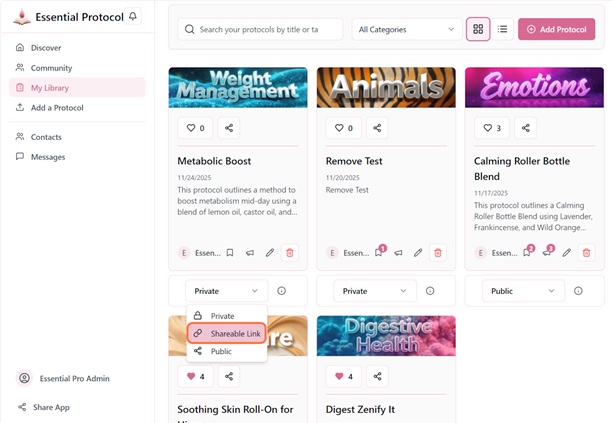
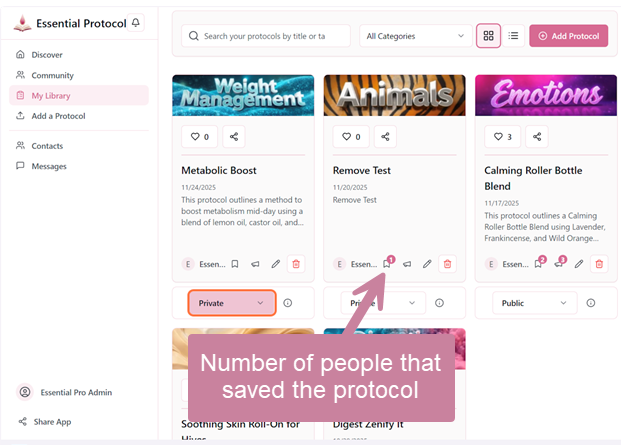
- 4View the number of saves to determine the impact of the change.
- 5Choose your desired visibility level: Private, Shareable Link, or Public
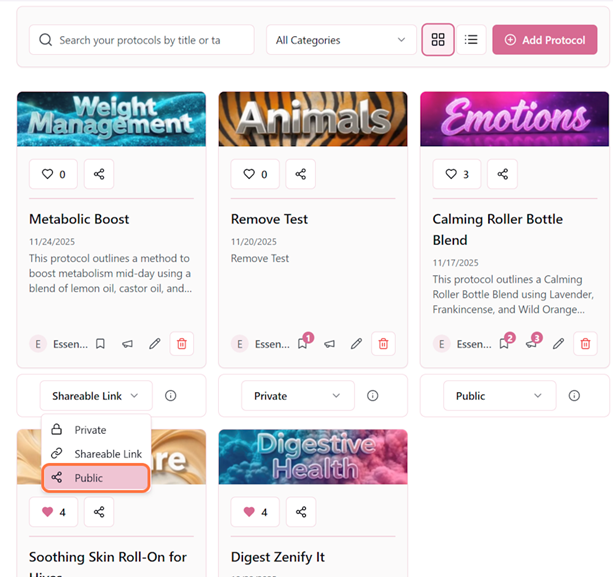
- 6Click "Save" to apply the new setting
Pro Tip
What Changes When You Update Visibility
Changing from Private → Shareable Link
✓A unique shareable URL is generated for your protocol
✓Anyone with the link can view (no login required)
✓Protocol remains invisible in public searches
Changing from Shareable Link → Public
✓Protocol appears in Discover page search results
✓Users can like, save, and comment on your protocol
✓Your author profile becomes visible to the community
✓Shareable link continues to work
Changing from Public → Private
✓Protocol is immediately removed from public searches
✓Users who saved it can still see their saved copy
✓Likes and comments are preserved (if you make it public again)
✓Shareable links no longer work
Important
Getting Your Shareable Link
When your protocol is set to "Shareable Link" or "Public," you can easily copy the direct URL:
- 1Open the protocol or find it in your library
- 2Click the Share icon on the protocol
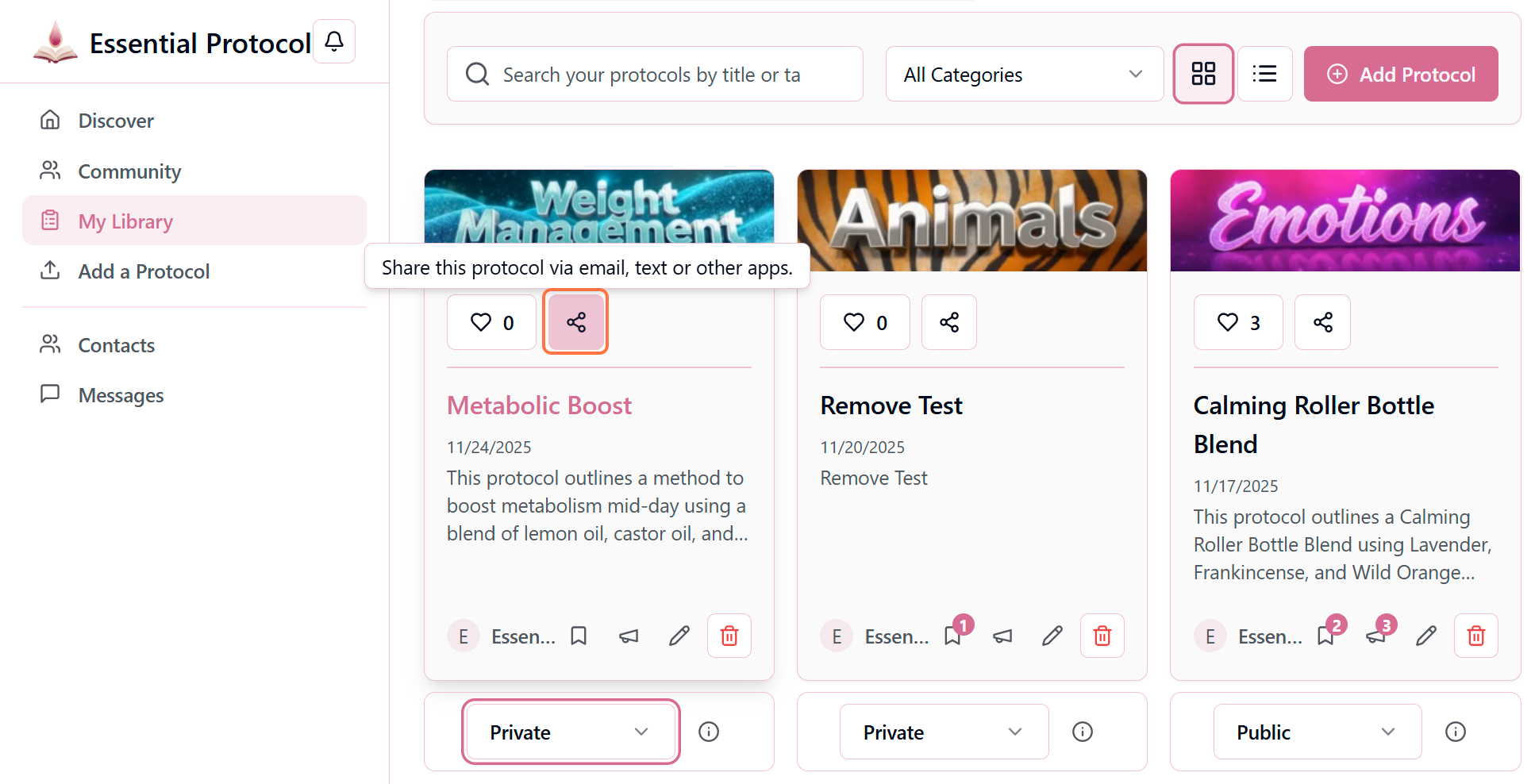
- 3The unique URL is now on your clipboard—paste it anywhere or choose how you want to share it! The options available to you are determined by your browser.
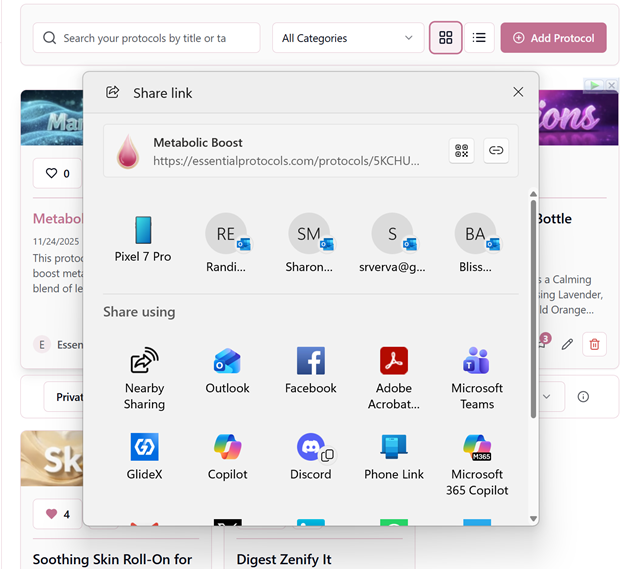
Example Shareable Link:
https://essentialprotocols.app/protocols/abc123xyzThis link works for anyone, even if they don't have an Essential Protocols account yet. They'll be prompted to create a free account to view the full protocol.
Best Practices for Visibility
✓ Do This
- • Start Private, test thoroughly, then make Public
- • Use Shareable Links for client-specific protocols
- • Make proven, safe protocols Public to help others
- • Review safety info before making anything Public
✗ Avoid This
- • Don't make untested protocols Public
- • Don't include personal client names in Public protocols
- • Don't share proprietary business information publicly
- • Don't forget to update visibility as protocols evolve
Building Trust Through Visibility
Many successful wellness professionals use a staged approach: create protocols privately, share with a small group via Shareable Link to gather feedback, refine based on testimonials, then make Public. This builds trust and ensures you're sharing your very best work with the community. Remember, every Public protocol represents your expertise—make it count!