
Sometimes you need to permanently remove a protocol from your library. Whether it's outdated, redundant, or no longer relevant, deleting gives you a clean slate. However, deletion is permanent and has important implications, especially for public protocols that others may have saved.
Pro Feature
How to Delete a Protocol
- 1Navigate to "My Library" and select "My Protocols". Find the protocol you want to delete.
- 2Click the Trash icon on the protocol card
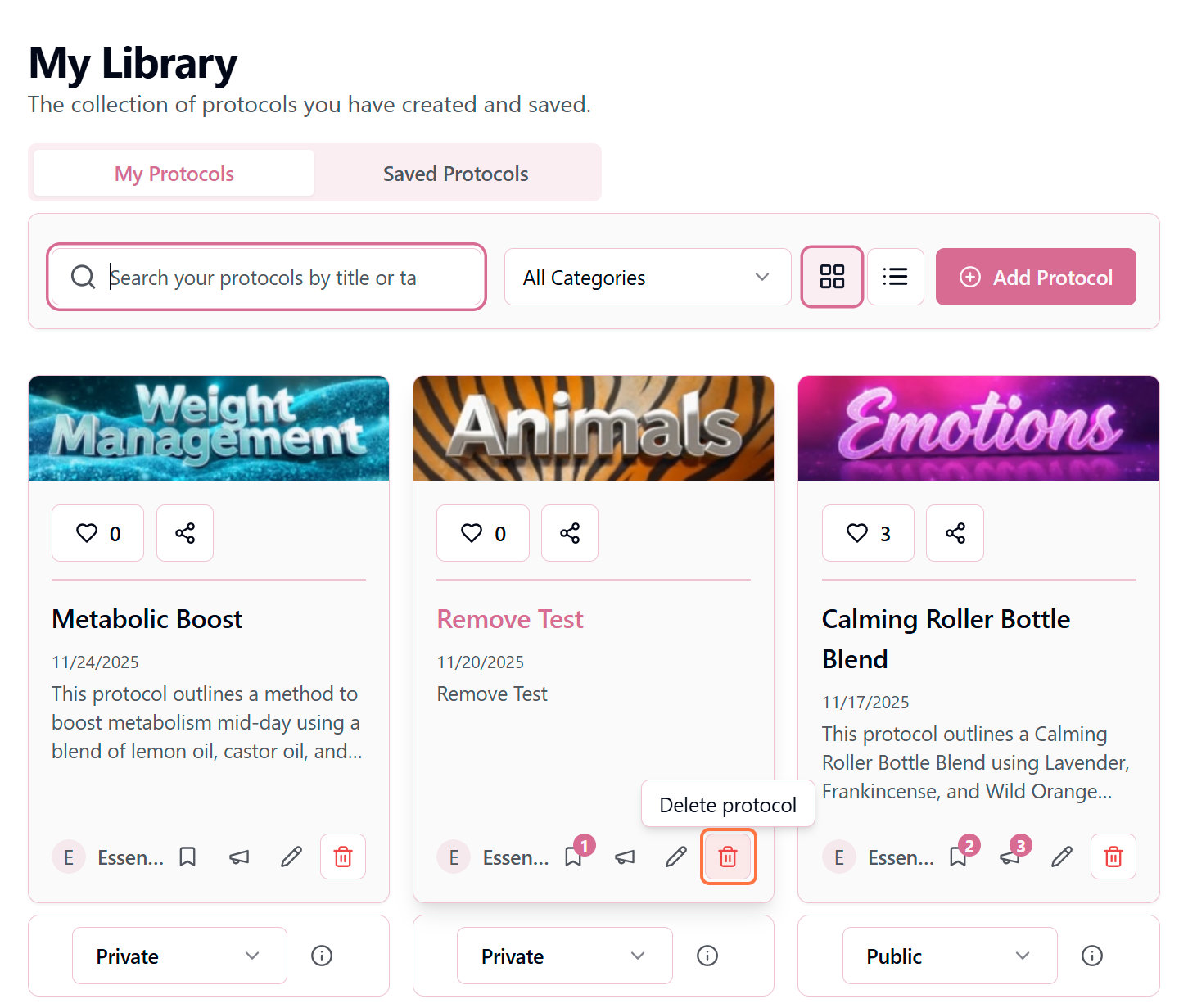
- 3Confirm the action in the pop-up modal. Warning: This cannot be undone, deleted protocols cannot be recovered once deleted.
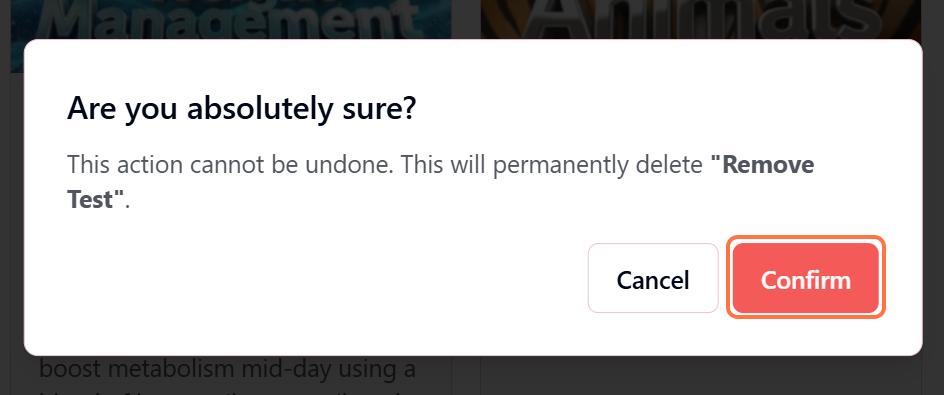
Critical Warning
- The protocol is immediately and permanently removed
- You cannot recover the content—it's gone forever
- There is no "undo" or recovery option
- All associated data (likes, testimonials) is also deleted
What Happens When You Delete
🗑️ From Your Library
The protocol is immediately removed from your "My Protocols" collection. It will no longer appear in your library, search results, or anywhere in your account.
🔍 From Discovery
If the protocol was Public, it's instantly removed from the Discover page and all search results. No one can find or access it anymore.
📚 For Users Who Saved It
Users who saved your protocol to their library will see it marked as "Removed by Author." They keep a reference but can no longer view the full details.
💬 Testimonials & Likes
All testimonials, comments, and likes associated with the protocol are permanently deleted. This data cannot be recovered.
🔗 Shareable Links
All previously shared links stop working immediately. Anyone clicking an old link will see a "Protocol not found" message.
Before You Delete: Consider Alternatives
Deletion is permanent—consider these alternatives first:
Make It Private
Change visibility to Private instead of deleting. You keep the protocol for future reference but remove it from public view.
Best for: Outdated protocols you might want to reference or update later
Edit & Update
Update the protocol with improved information rather than starting from scratch. Your existing likes and testimonials remain intact.
Best for: Protocols that need refinement but have good engagement
Duplicate First
Create a new improved version before deleting the old one. This preserves your work and gives users a migration path.
Best for: Major protocol overhauls or complete reformulations
Add Disclaimer
Edit to add an update notice in Author Notes explaining changes or deprecation. Keep it available for historical reference.
Best for: Protocols with many saves but outdated information
Pro Tip
When Deletion Makes Sense
Delete when:
It's a duplicate or test protocol
Cleaning up experimental or redundant content
It contains incorrect or unsafe information
Better to remove completely than risk harm
It's private and you'll never use it again
No one else has saved it, and it's taking up space
You're completely rebranding your protocols
Starting fresh with an entirely new approach
Impact on Your Profile & Reputation
Deleting public protocols affects your presence on the platform:
- Your total protocol count decreases
- If it was highly liked, you lose that social proof
- Users who followed you for that specific protocol may be disappointed
- Your author statistics (total likes, saves) are recalculated
Think Twice Before Deleting Popular Protocols
If your protocol has 50+ saves or multiple testimonials, deletion significantly impacts other users. Consider making it private or adding a deprecation notice instead. Your reputation is built on reliability—sudden deletions can erode trust.
Can't Find the Delete Option?
If you don't see the delete option, check:
- Are you the author? You can only delete protocols you created
- Is your Pro subscription active? Deletion requires an active Pro account
- Are you in the right tab? Make sure you're in "My Protocols" not "Saved Protocols"
The Psychology of Letting Go
It's natural to feel attached to protocols you've created, especially if they represent hours of work. Remember that deletion isn't failure—it's curation. Your library should reflect your current best practices and expertise. Just like a gardener prunes to promote healthy growth, removing outdated protocols helps your best work shine. When in doubt, make it private first and revisit the deletion decision in a month.