
Protocols evolve as you gain experience and gather feedback. The edit function lets you update any aspect of your protocols—from fixing typos to completely revising instructions based on new insights or testimonials from users.
Pro Feature
How to Edit a Protocol
- 1Navigate to "My Library" and select "My Protocols". Find the protocol you want to edit.
- 2Click the pencil icon on the protocol card
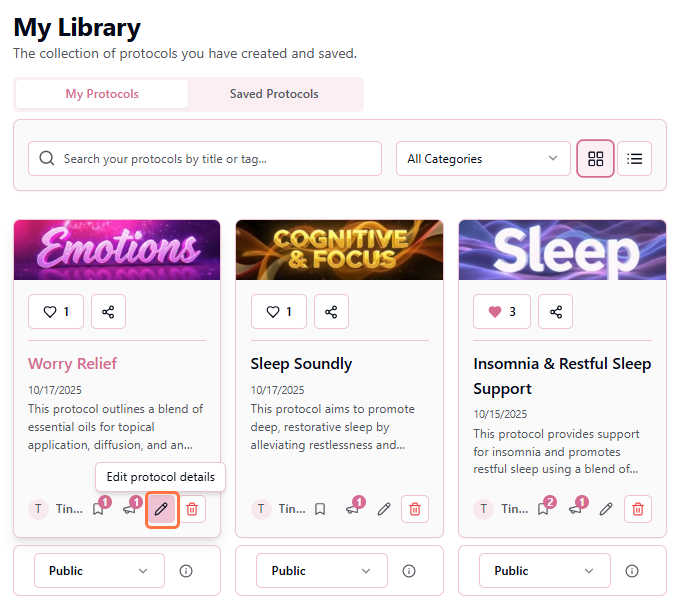
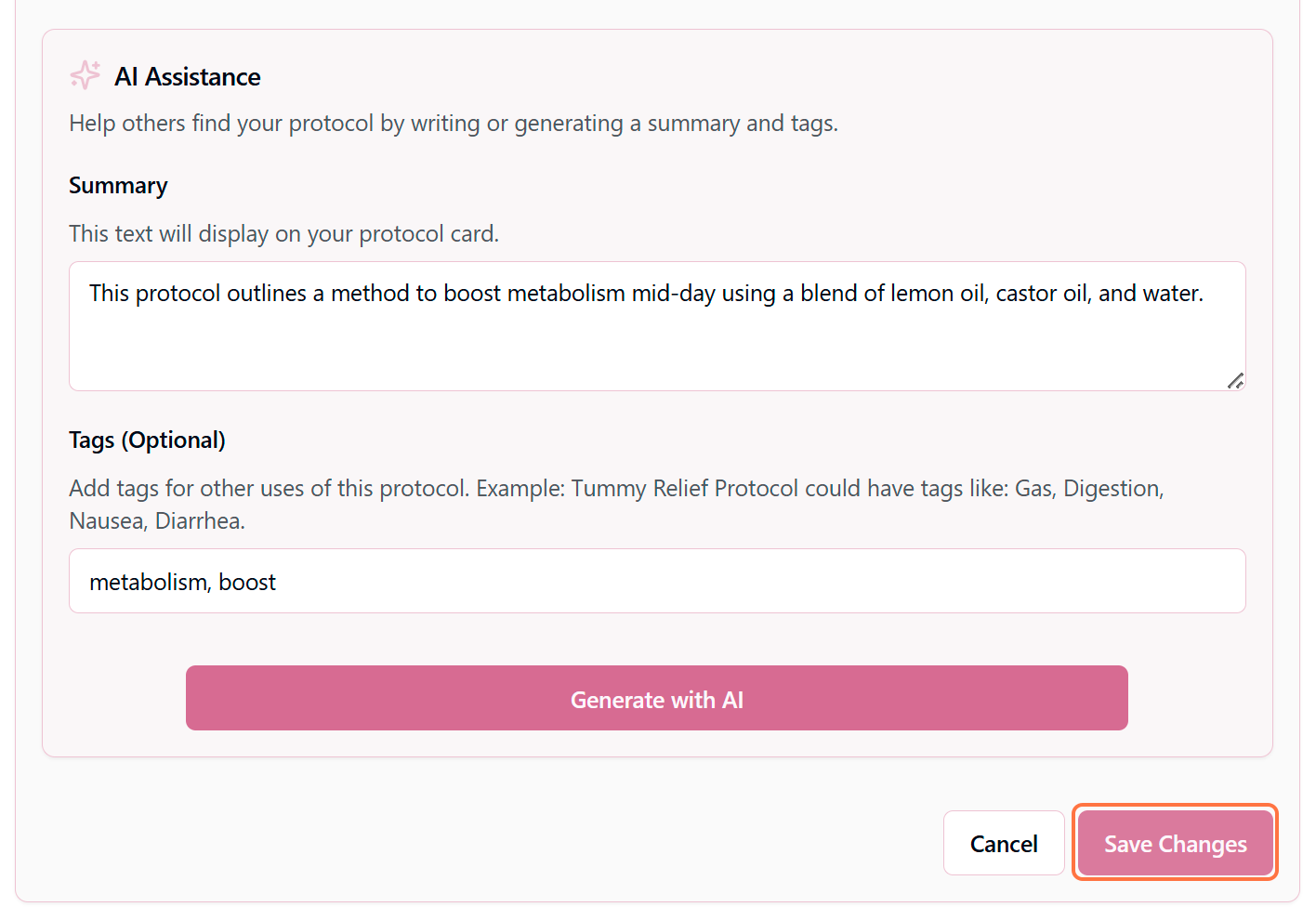
- 3The protocol editor opens with all current information pre-filled. Make your desired changes and click "Save Changes".
Pro Tip
Common Reasons to Edit
Fixing Errors or Typos
Correct spelling mistakes, fix incorrect measurements, or clarify confusing instructions.
Improving Based on Feedback
Users leave testimonials and comments—use their insights to refine your protocol and make it even more effective.
Adding New Variations
Discovered a better combination or alternative application method? Add it to your Author Notes section.
Optimizing Discoverability
Rewrite instructions to be clearer, add step numbers, or include additional context that helps users succeed.
Updating Safety Information
Learned new contraindications or safety concerns? Always update immediately to protect your users.
Fixing Errors or Typos
Correct spelling mistakes, fix incorrect measurements, or clarify confusing instructions.
What Happens After You Save
Changes take effect immediately:
✓Your protocol is instantly updated in your library
✓If public, the updated version appears in search results
✓Users who saved your protocol see the new version
✓AI regenerates summary if you changed objective or ingredients
✓Likes and testimonials remain attached to the protocol
Canceling Edits
Changed your mind mid-edit? No problem:
- Click "Cancel" or the X button to discard all changes
- Navigate away from the page (you'll be prompted to confirm)
- Your protocol remains unchanged until you click "Save Changes"
Best Practices for Editing
Before Editing
- Read existing testimonials for insights
- Check if the protocol is widely saved
- Consider creating a new protocol for major changes
While Editing
- Double-check all measurements and quantities
- Maintain consistent formatting throughout
- Add explanations for why you're changing things
When to Create a New Protocol Instead
Sometimes it's better to create a new protocol rather than edit an existing one:
- You're completely changing the core ingredients (50%+ different)
- The purpose or objective has fundamentally shifted
- You want to preserve the original for comparison
- Many users have saved the current version and rely on it
In these cases, create a new protocol with a title like "Sleep Support Roller v2" and mention in the Author Notes that it's an updated version of your original.