
Categories help you browse protocols by topic. You can further refine your results using subcategories for more specific searches.
Using the Category Menu
- 1Click on the Category Expander to open the Category Menu
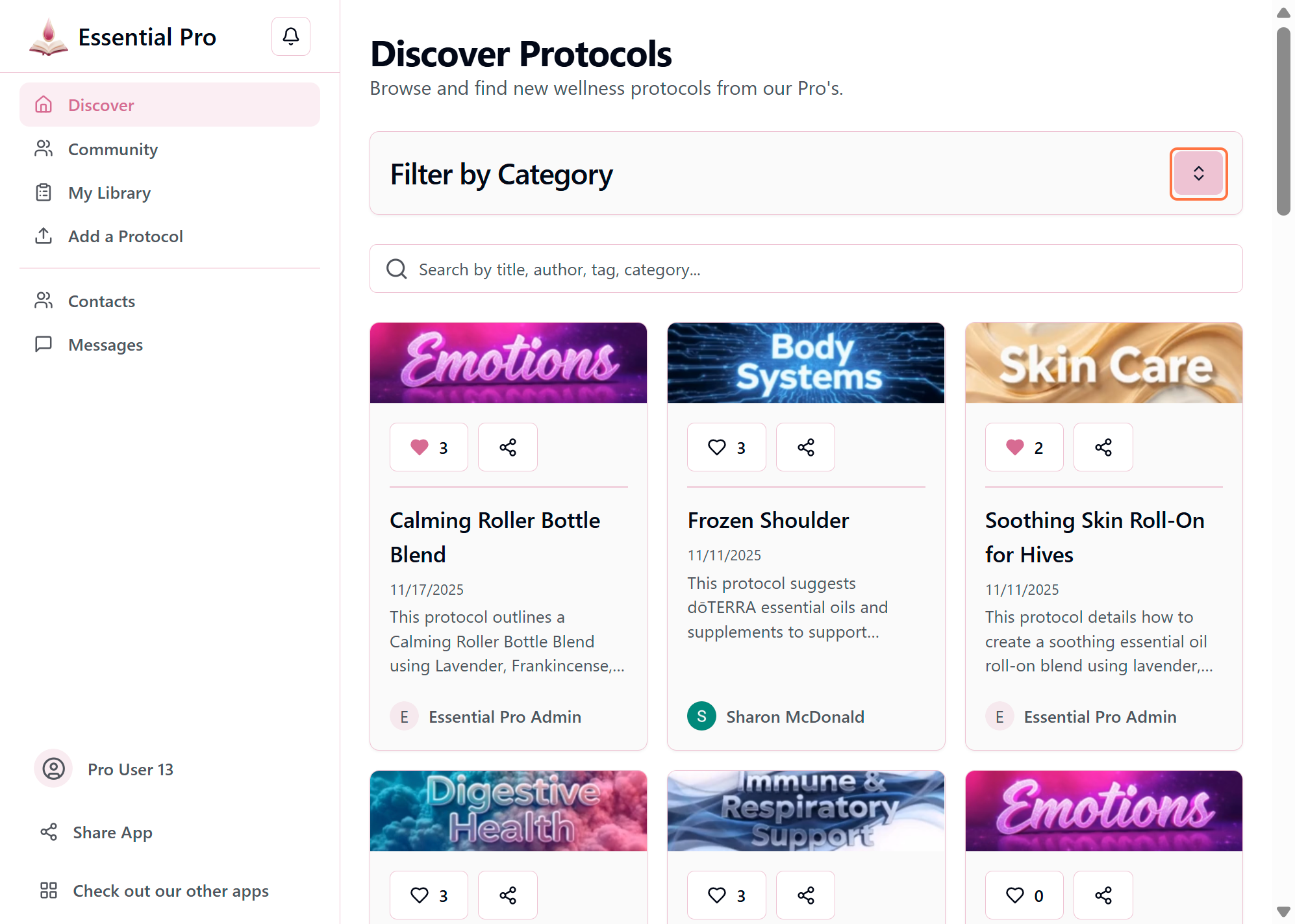
- 2Click on a Category to view all protocols in that category
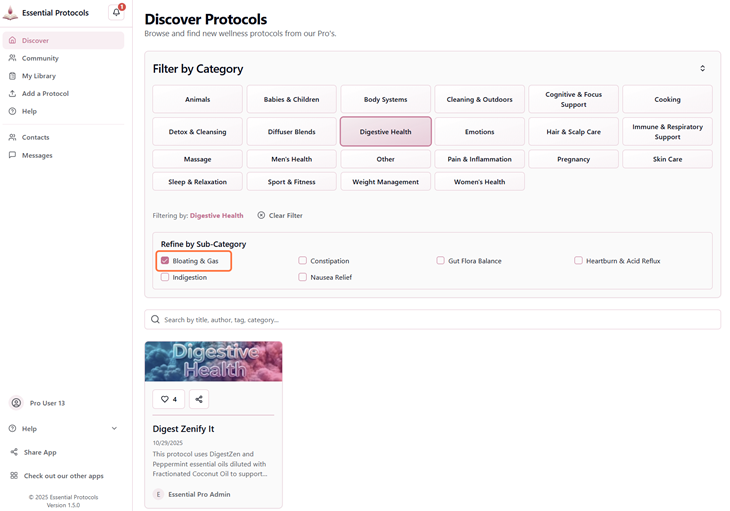
- 3Refine further by clicking checkboxes on Sub-categories
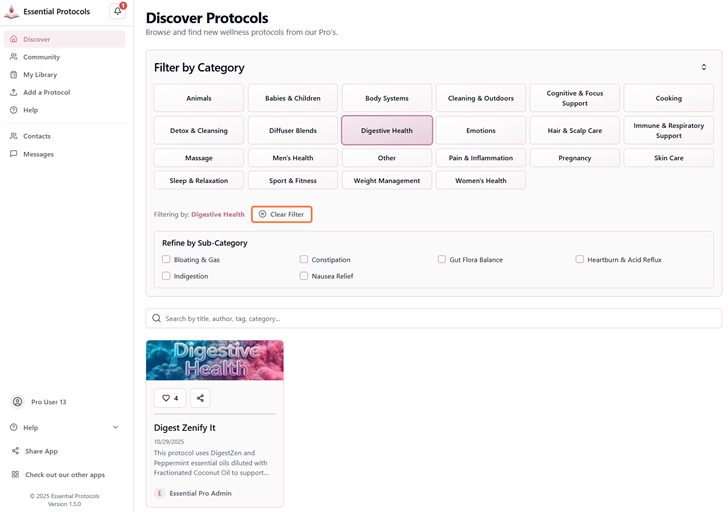
- 4Click "Clear Filter" to remove your selections and start over
- 5Click the Toggle to close the Category section
You can select multiple subcategories at once to broaden your search results.