
Essential Pro gives you access to create and share protocols, message other members, and participate fully in the community. You can choose between a monthly or annual subscription.
From the Upgrade to Pro Modal
The quickest way to subscribe is through the "Upgrade to Pro" modal that appears throughout the app when you try to use Pro features.
- 1Click any "Upgrade to Pro" button or try to access a Pro feature (like creating a protocol or starting a discussion)
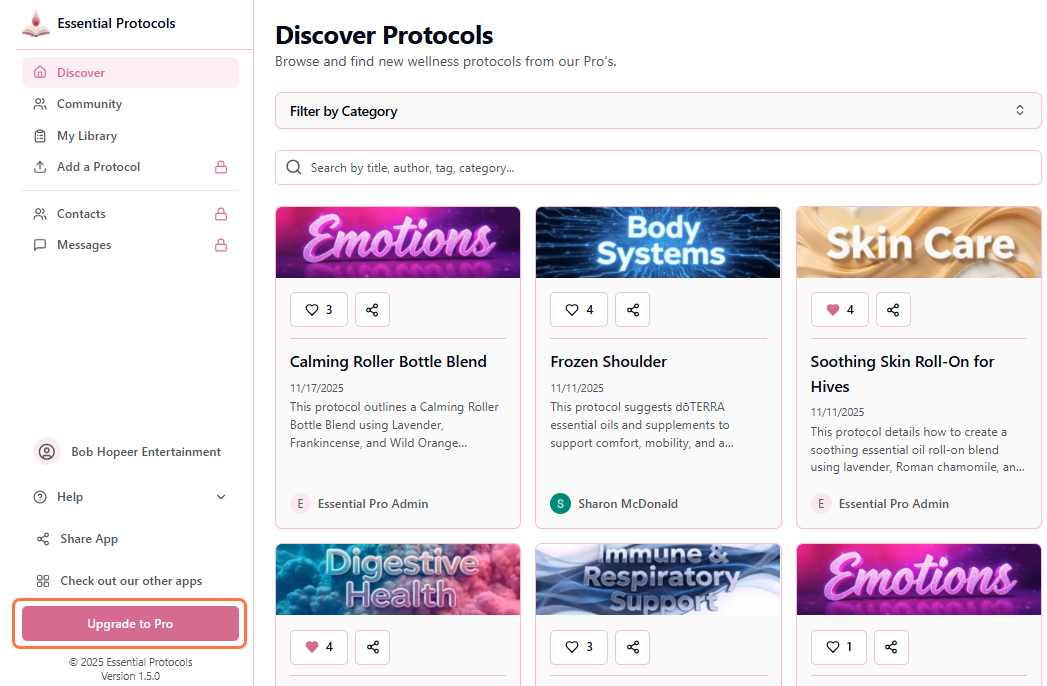
- 2The Pro subscription modal will appear showing both plan options
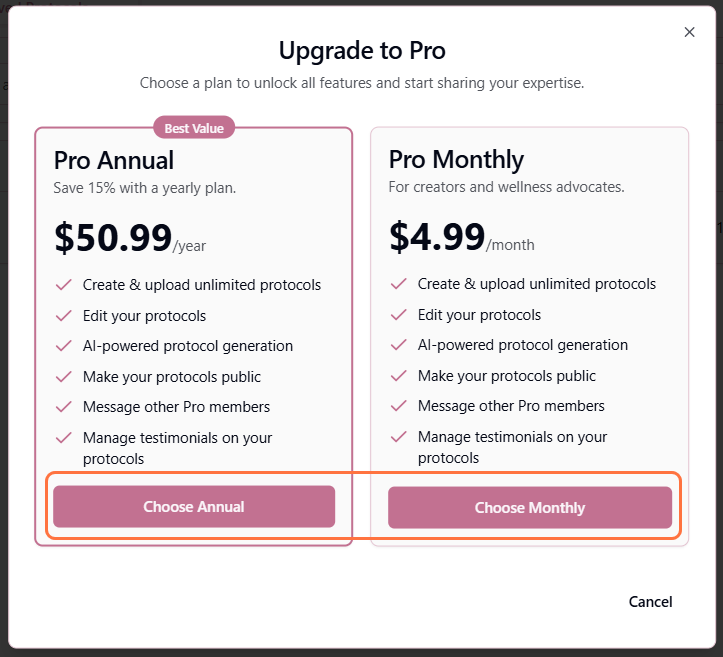
- 3Choose your preferred plan: Pro Monthly ($4.99/month) or Pro Annual ($50.99/year - Save 15%)
- 4Click "Choose Monthly" or "Choose Annual" button
- 5You'll be redirected to Stripe's secure checkout page
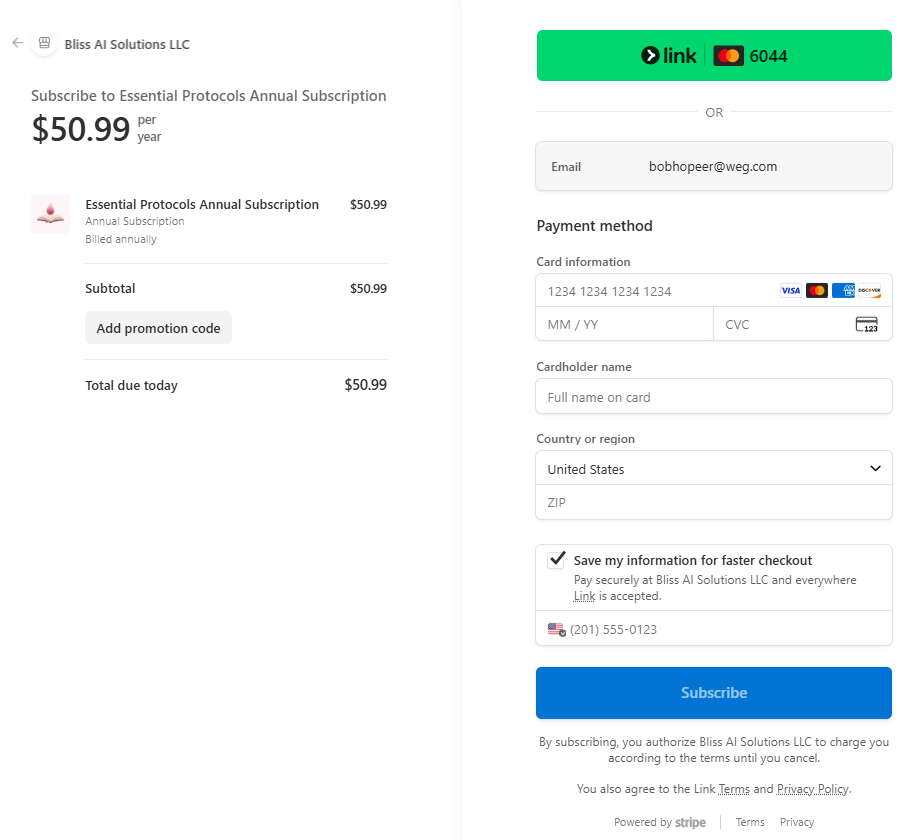
- 6Enter your payment information and billing details
- 7Review your subscription details and click "Subscribe"
- 8After successful payment, you'll be redirected back and your account will immediately have Pro access
Instant Access
Your Pro features activate immediately after payment. No waiting period - you can start creating protocols and messaging members right away!
Payment Methods
We use Stripe for secure payment processing. Accepted payment methods include:
- • Credit cards (Visa, Mastercard, American Express, Discover)
- • Debit cards
- • Apple Pay and Google Pay (when available)
Secure Payments
All payment processing is handled securely through Stripe. We never store your credit card information on our servers. Your payment details are protected by industry-standard encryption.
What Happens After Subscribing?
Once your subscription is active:
- • Your account is immediately upgraded to Pro status
- • All Pro features become available across the application
- • You can create, edit, and share protocols
- • You can start discussions and reply to community posts
- • You can message other Pro members
- • A confirmation email is sent to your registered email address
Billing Cycle
Your subscription will automatically renew at the end of each billing period (monthly or annually) unless you cancel. You can cancel anytime from your account settings.