
If you previously had a Pro subscription and cancelled, you can easily re-subscribe and regain access to all premium features. Your protocols and data are still safely stored, and you can pick up right where you left off.
Your Data is Safe
Re-subscribing Through the App
The easiest way to re-subscribe is directly through the application. If you re-subscribe before your existing subscription ends, your payment information and history will be retained. If the subscription period has expired, you'll need to re-enter your payment information.:
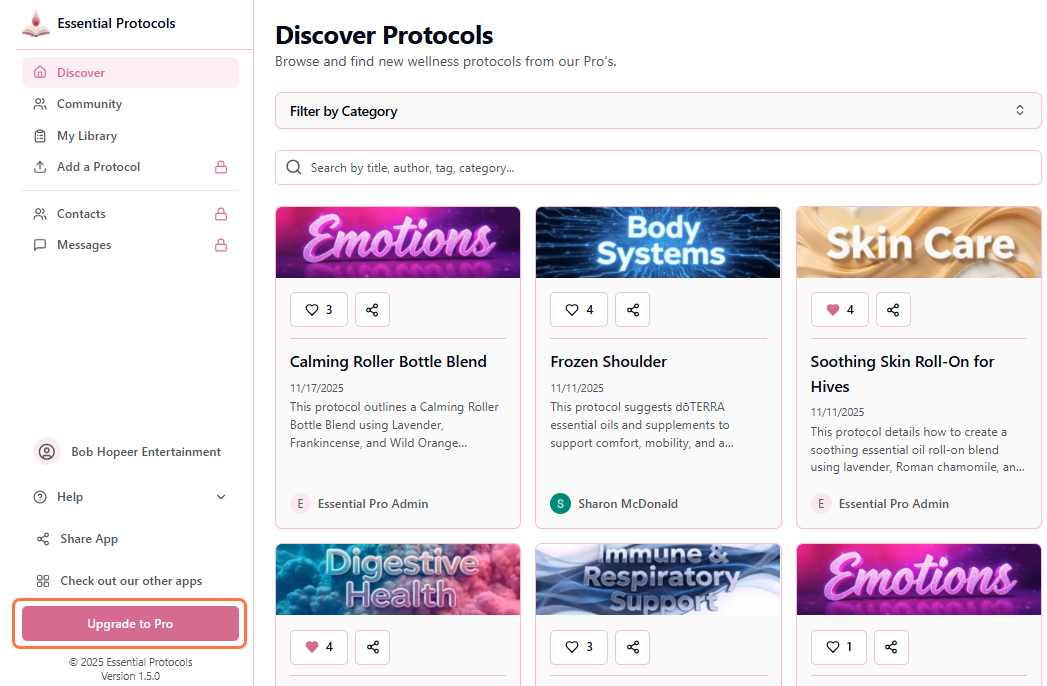
- 1Click on the Upgrade to Pro button in the menu
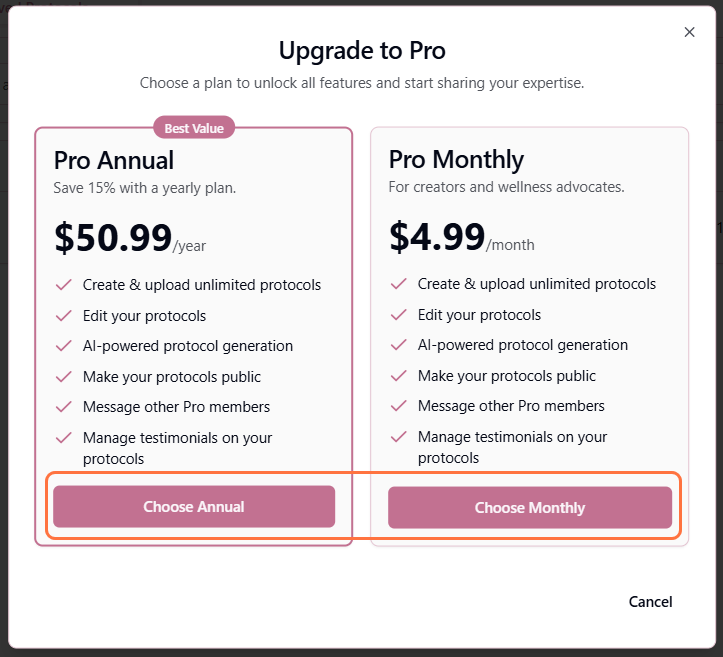
- 2The Pro subscription modal will appear with both plan options. Click "Choose Monthly" or "Choose Annual" for your preferred plan: Pro Monthly ($4.99/month) or Pro Annual ($50.99/year)
- 3You'll be redirected to Stripe's secure checkout page
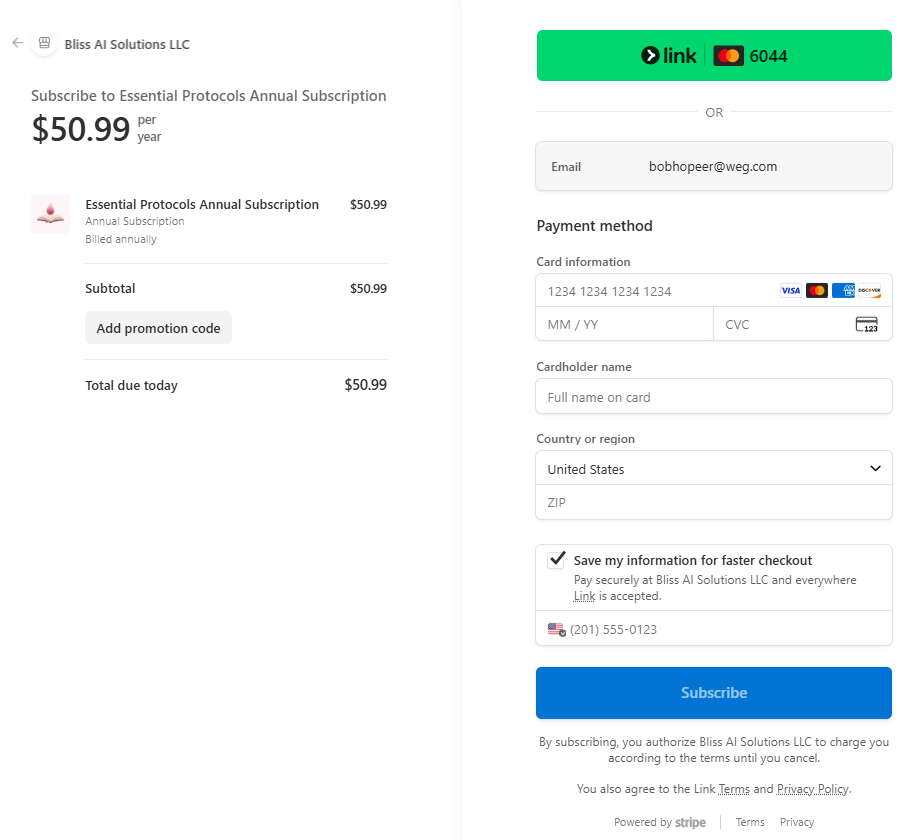
- 4Review your details, update payment method if needed, and click "Subscribe"
- 5After successful payment, you'll be redirected back with Pro access restored
Saved Payment Information
What Happens When You Re-subscribe?
Upon successful re-subscription:
Immediate Changes
- • Your account is immediately upgraded back to Pro status
- • All Pro features are instantly available
- • You receive a confirmation email from Stripe
Your Protocols
- • All your previously created protocols are still in your library
- • They're currently set to private
- • You can now edit them again
- • You can make them public whenever you're ready
- • You can create new protocols immediately
Community & Messaging
- • You can start new discussions again
- • You can reply to community posts
- • You can send messages to other Pro members
- • Your previous message history is preserved
New Billing Cycle
Choosing a Different Plan
When you re-subscribe, you're free to choose a different plan than you had before:
- • If you had Monthly before, you can switch to Annual for savings
- • If you had Annual before, you can switch to Monthly for more flexibility
- • Your choice starts fresh - previous plan history doesn't affect your new subscription
Troubleshooting
Payment declined
If your payment is declined during re-subscription:
- • Verify your card has sufficient funds
- • Check that your billing address matches your card's billing address
- • Try a different payment method
- • Contact your bank if the card should be working
Don't see your old protocols
Your protocols should all be visible in your library after re-subscribing. If you don't see them, make sure you're logged in with the same account. If the problem persists, contact support with your account details.