
All your subscription payments are recorded and accessible through the Stripe customer portal. You can view your complete payment history and download invoices for your records, tax purposes, or expense reimbursement.
Accessing Invoice History (Active Subscribers)
If you currently have an active Pro subscription:
- 1Click on your user menu
- 2Select "Manage Subscription" from the dropdown menu
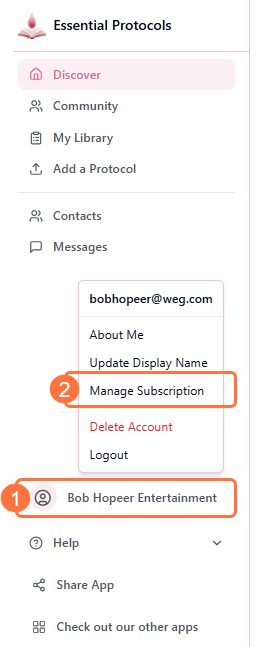
- 3You'll be redirected to the Stripe customer portal showing your subscription details. Scroll down to find the "Invoice History" section
- 4All your past invoices will be listed with dates and amounts
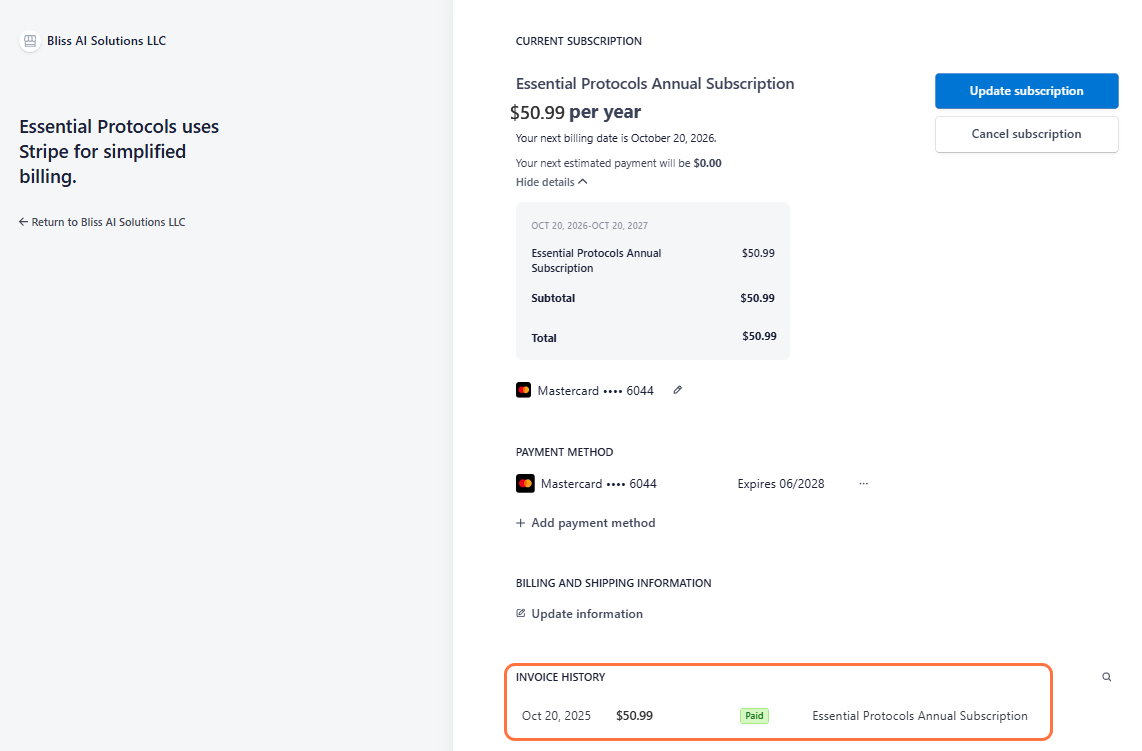
- 5Click on any invoice to view details or download a PDF receipt
Accessing Invoice History (After Cancellation)
Even after cancelling your subscription, you can still access your invoice history:
- 1Click on your user menu
- 2Select "View Purchase History" from the dropdown menu
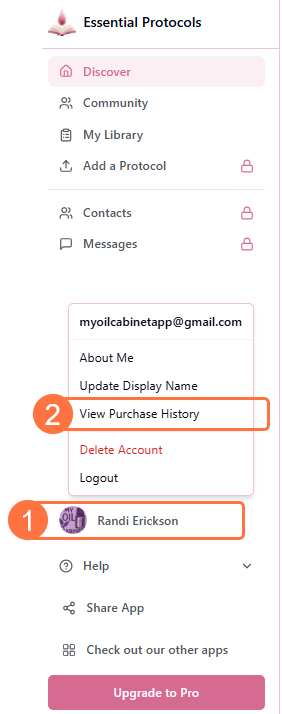
- 3You'll be redirected to the Stripe customer portal
- 4The portal will show your billing information and invoice history
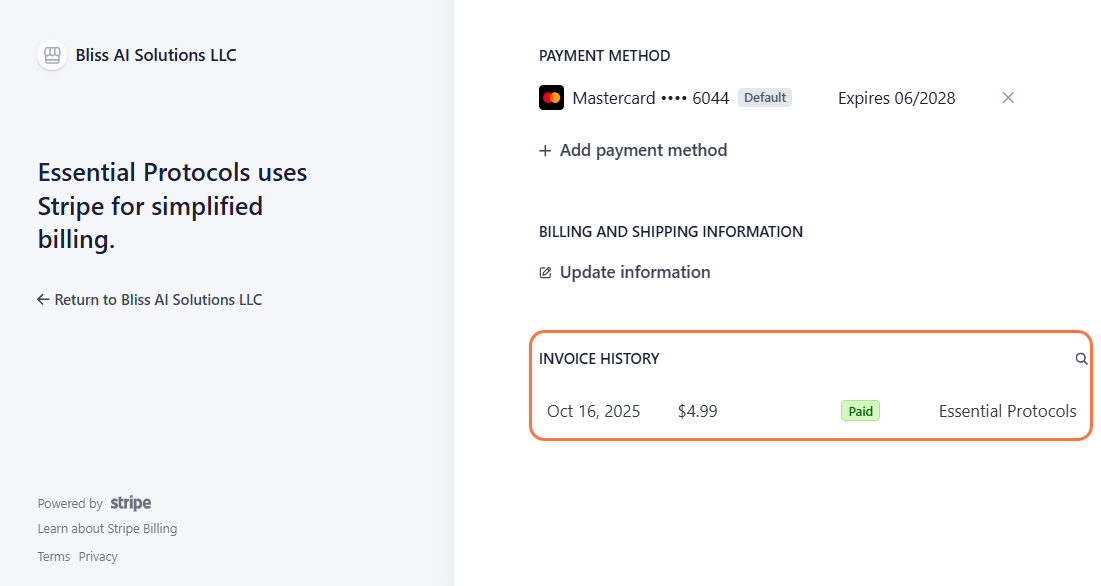
- 5Browse your complete payment history and download any invoices you need
Permanent Access
What's Included in Each Invoice
Each invoice contains:
- • Invoice number and date
- • Billing period covered
- • Subscription plan (Monthly or Annual)
- • Amount charged
- • Payment method used (last 4 digits)
- • Your billing address
- • Payment status (Paid, Pending, Failed)
Downloading Invoice PDFs
To download a PDF copy of any invoice:
- 1Access your invoice history using either method described above
- 2Find the invoice you want to download
- 3Click on the invoice to open the detailed view
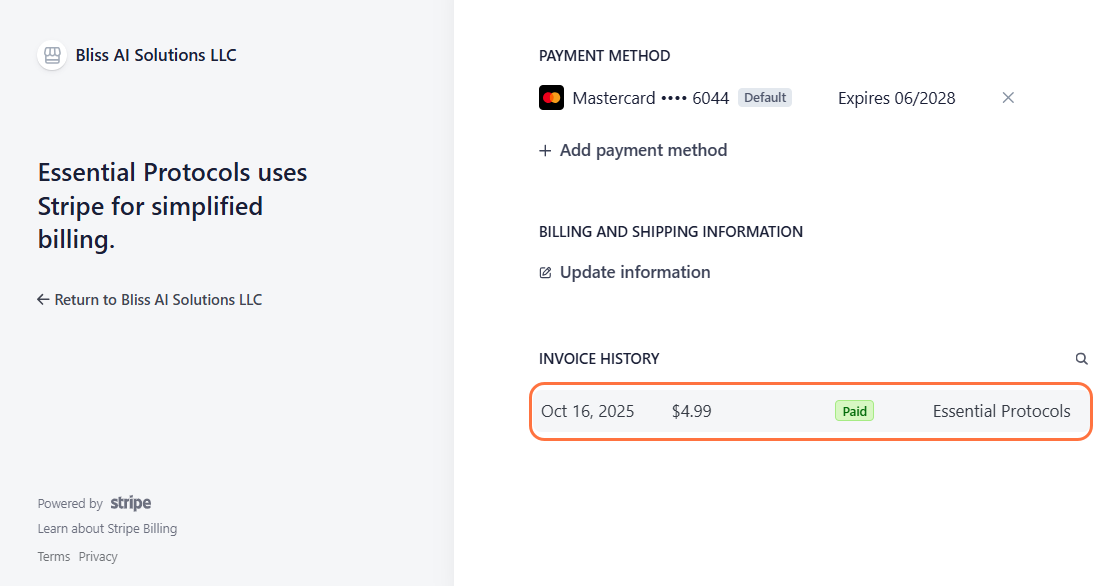
- 4Look for the "Download" or "PDF" button at the top of the invoice
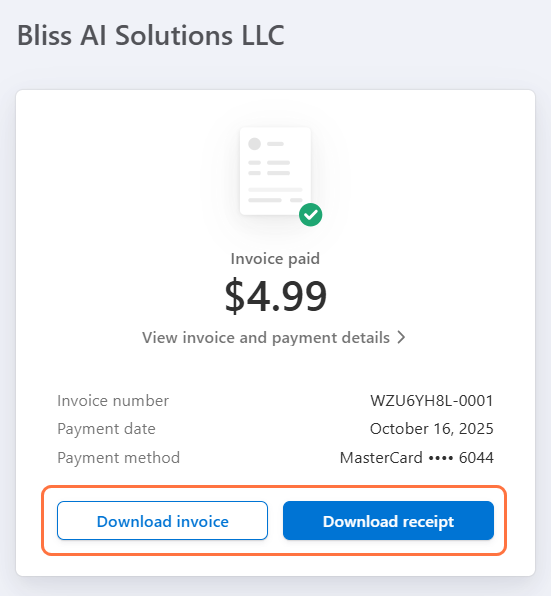
- 5Click the button to download the invoice as a PDF file to your device
Multiple Formats Available
Invoice Emails
In addition to accessing invoices through the portal:
- • Stripe automatically emails you a receipt after each successful payment
- • Check the email address associated with your account
- • Look for emails from "Stripe" with subject lines like "Your Essential Protocols receipt"
- • These emails contain direct links to view or download your invoices
Can't Find an Invoice Email?
Troubleshooting
"Manage Subscription" button not showing
If you've cancelled your subscription, use "View Purchase History" instead. This option remains available even after cancellation.
Missing invoices
All invoices should appear in your history. If you're missing a payment record, it may be under a different email address if you've changed your account email. Contact support if you need help locating historical invoices.
Invoice shows wrong billing information
You can update your billing information in the Stripe portal. Changes will apply to future invoices, but past invoices will show the information that was current at the time of payment.