
Uploading a document is the perfect solution when you have protocols already formatted in Word, PDF, or other document formats. This method preserves your formatting and allows you to import complete, polished protocols with minimal effort.
Pro Feature
Supported File Types
Word Documents
.docx, .doc
PDF Files
Text Files
.txt
How to Upload a Protocol
- 1Click on "Add a Protocol" from the main menu and select "Upload File"
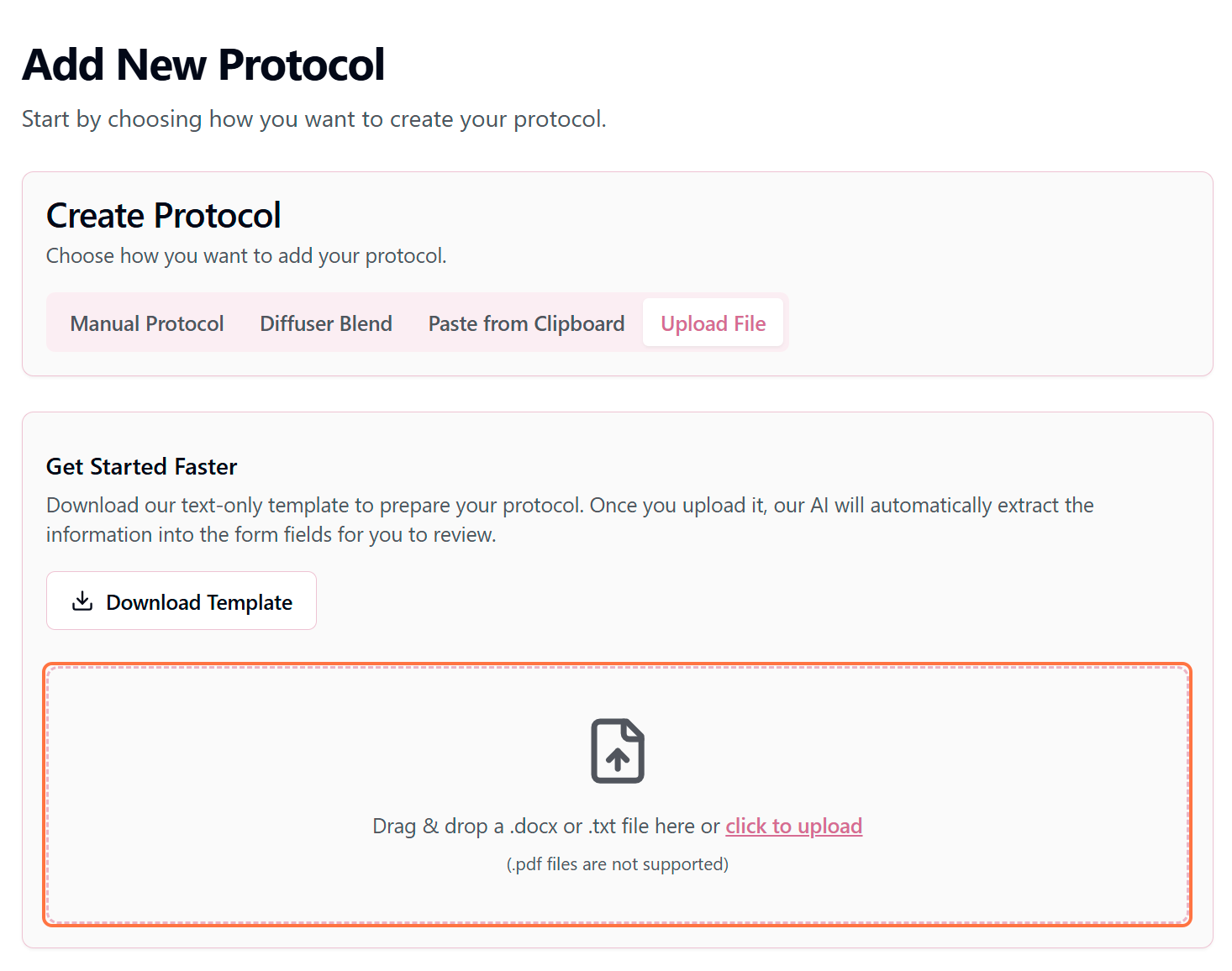
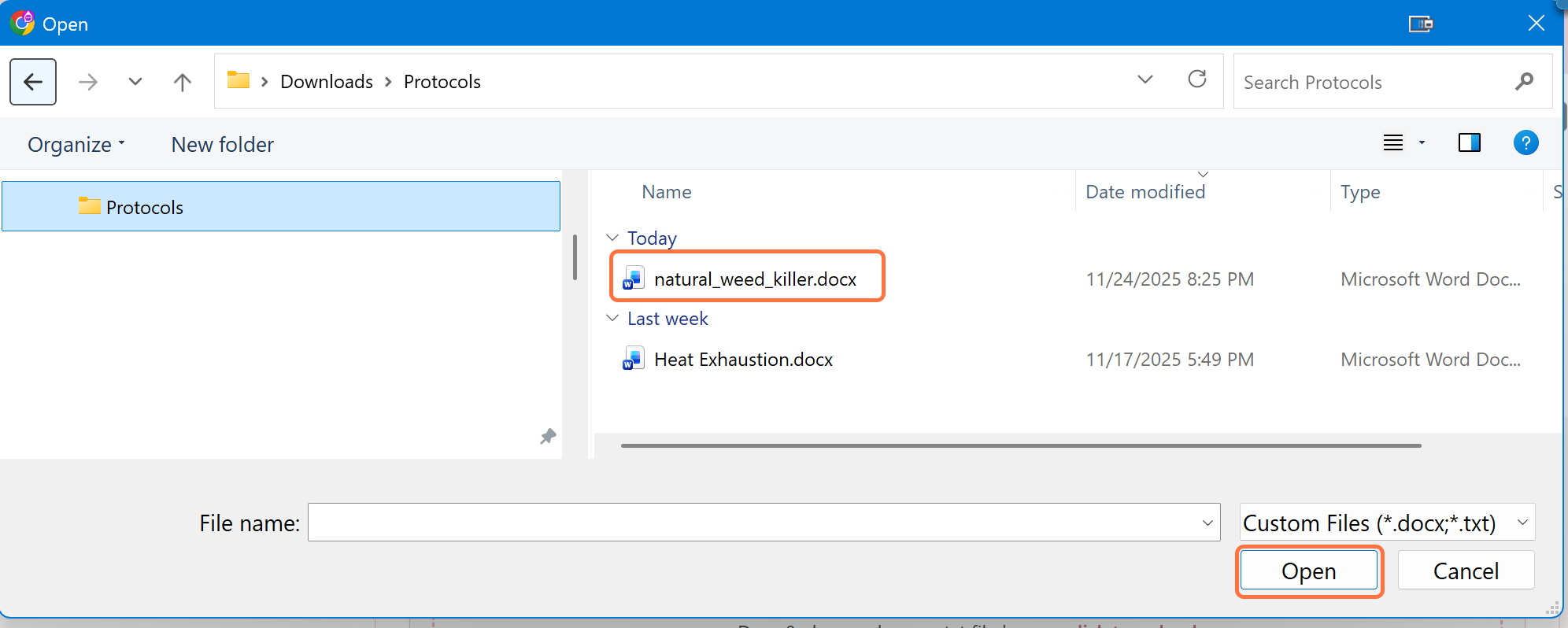
- 2Click "Click to upload" or drag and drop your document into the upload area.Wait for the file to upload and the AI to process the content.
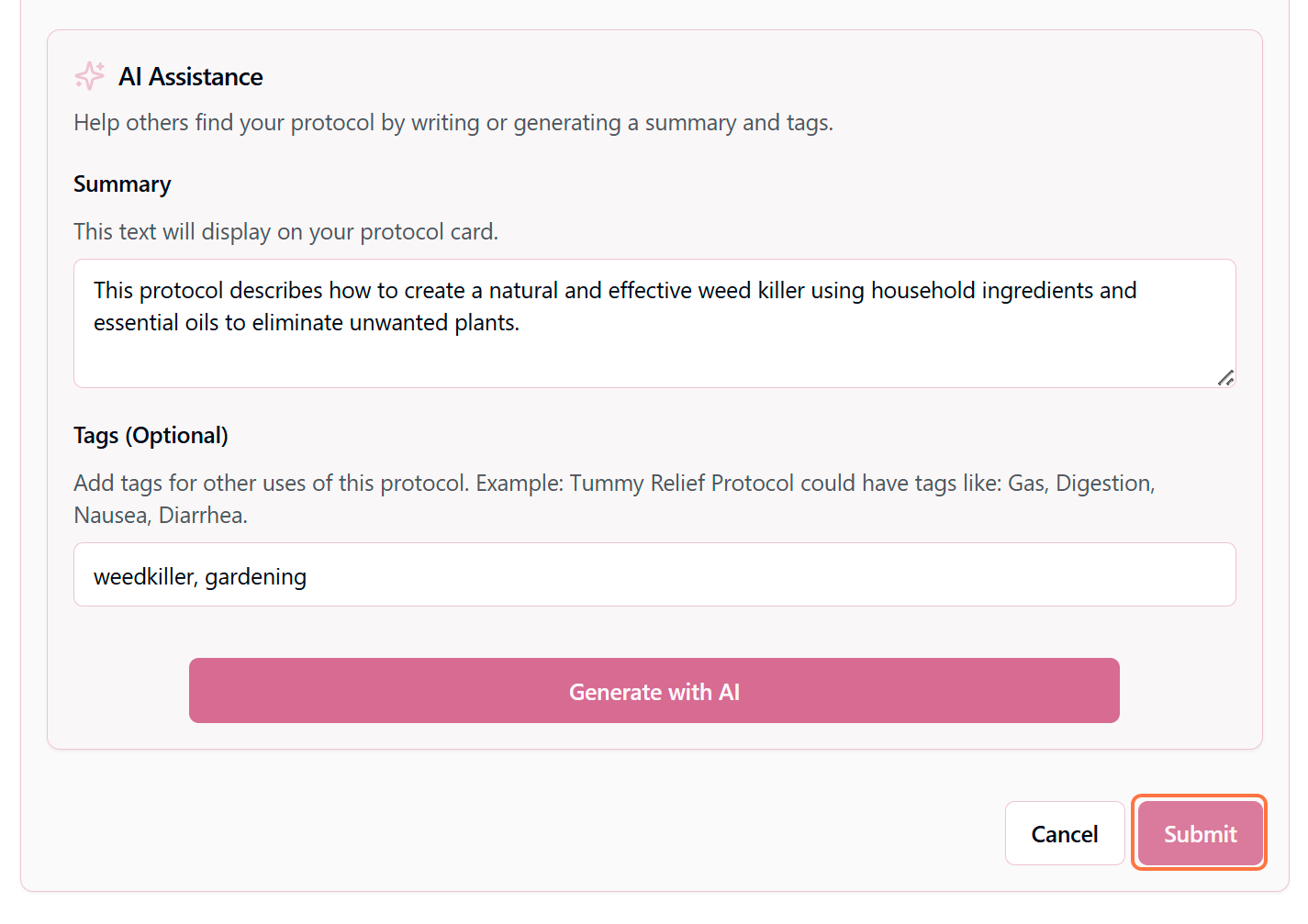
- 3Review the parsed protocol information and make any necessary adjustments. click "Generate With AI". Your information will be reviewed and the Summary, & Tags will be generated automatically. When you're ready, click "Submit".
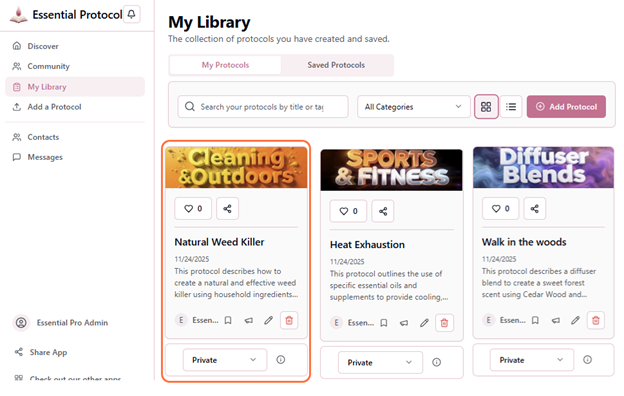
- 4The protocol will be added to your library once processing is complete.
Pro Tip
What the AI Extracts
When you upload a document, the AI intelligently identifies:
Tips for Perfect Uploads
Use Clear Headers
Use headers like "Title," "Ingredients," "Instructions," and "Safety" to help the AI recognize different sections. Consistent formatting improves accuracy.
Keep It Organized
Use bullet points for ingredient lists, numbered lists for step-by-step instructions, and paragraph breaks between sections. Clean formatting = better AI parsing.
Avoid Complex Formatting
Stick to basic formatting—avoid tables, text boxes, images, or unusual fonts. Simple documents upload and process more accurately.
Check File Size
Keep documents under 5MB for best results. Larger files may take longer to process or could fail to upload.
Using the Protocol Template
We provide a free, downloadable Word template that's perfectly formatted for upload. The template includes:
- Pre-formatted sections for all protocol components
- Example content to guide your writing
- Proper heading styles that the AI recognizes
- Built-in formatting for lists and instructions
- Optional fields clearly marked
Download the template: Visit the Resources section in your account to download the official Essential Protocols template.
After Upload & Processing
- 1Review all parsed fields for accuracy
- 2Select appropriate category and subcategories
- 3Edit any fields that need refinement
- 4Verify safety information is complete and accurate
- 5Add or adjust AI-suggested tags
- 6Set visibility preferences (Private, Shareable Link, or Public)
- 7Click "Save Protocol" to add it to your library
Troubleshooting Upload Issues
Upload fails or times out:
• Check your internet connection
• Ensure file is under 5MB
• Try converting to a simpler format (.txt or .docx)
AI misidentifies sections:
• Use clearer section headers
• Simplify document formatting
• Try the protocol template for guaranteed compatibility
Formatting doesn't carry over:
• Some advanced formatting may not transfer
• Use the built-in editor to reformat after upload
• Stick to basic text formatting for best results