Your Messages inbox is your command center for all wellness conversations. Whether you're answering questions about your protocols, following up with clients, or collaborating with peers—staying organized and responsive builds strong professional relationships.
Pro Feature
Accessing Your Messages
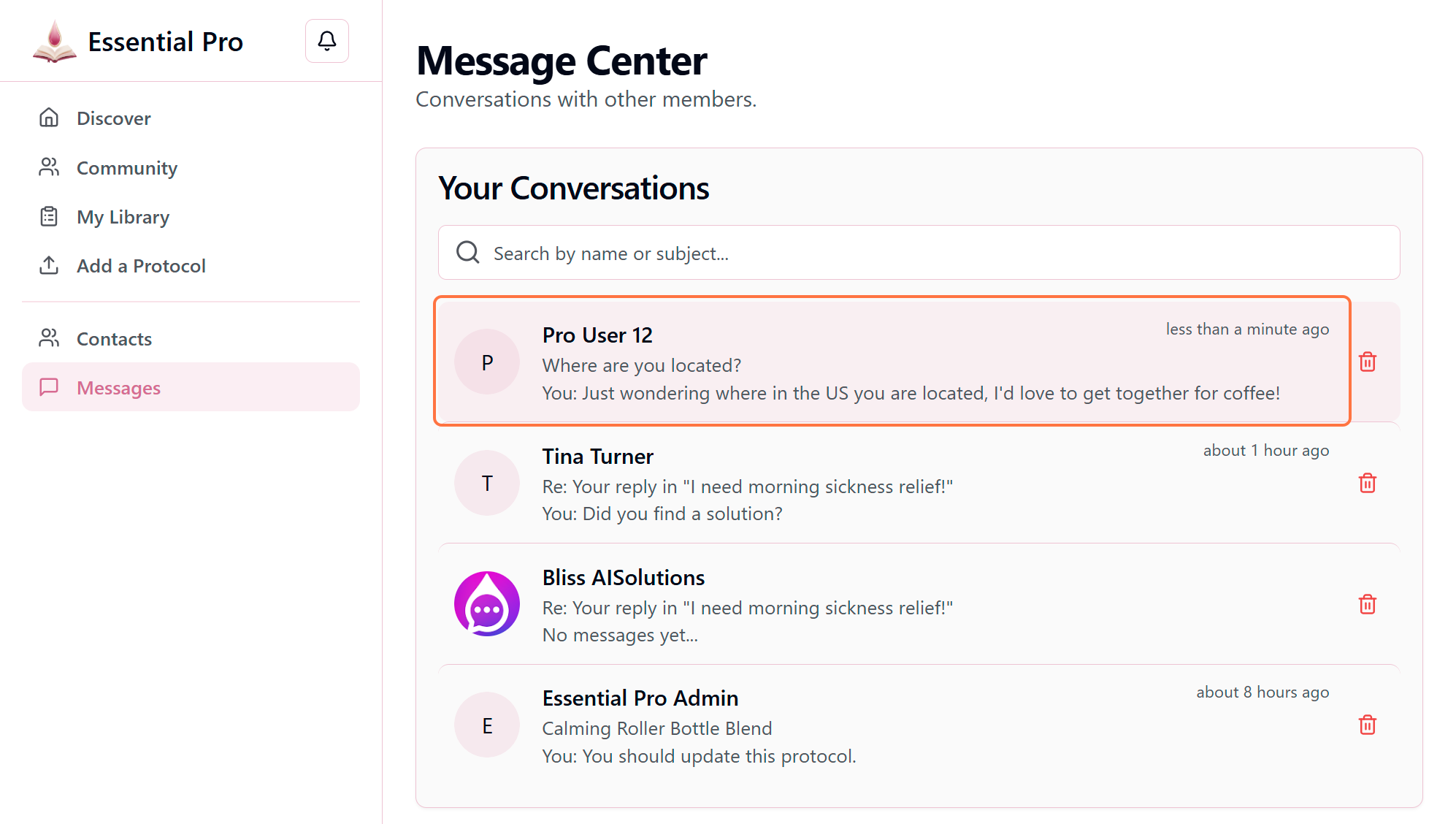
- 1Click "Messages" in the main navigation menu. Your inbox opens showing all conversation threads.
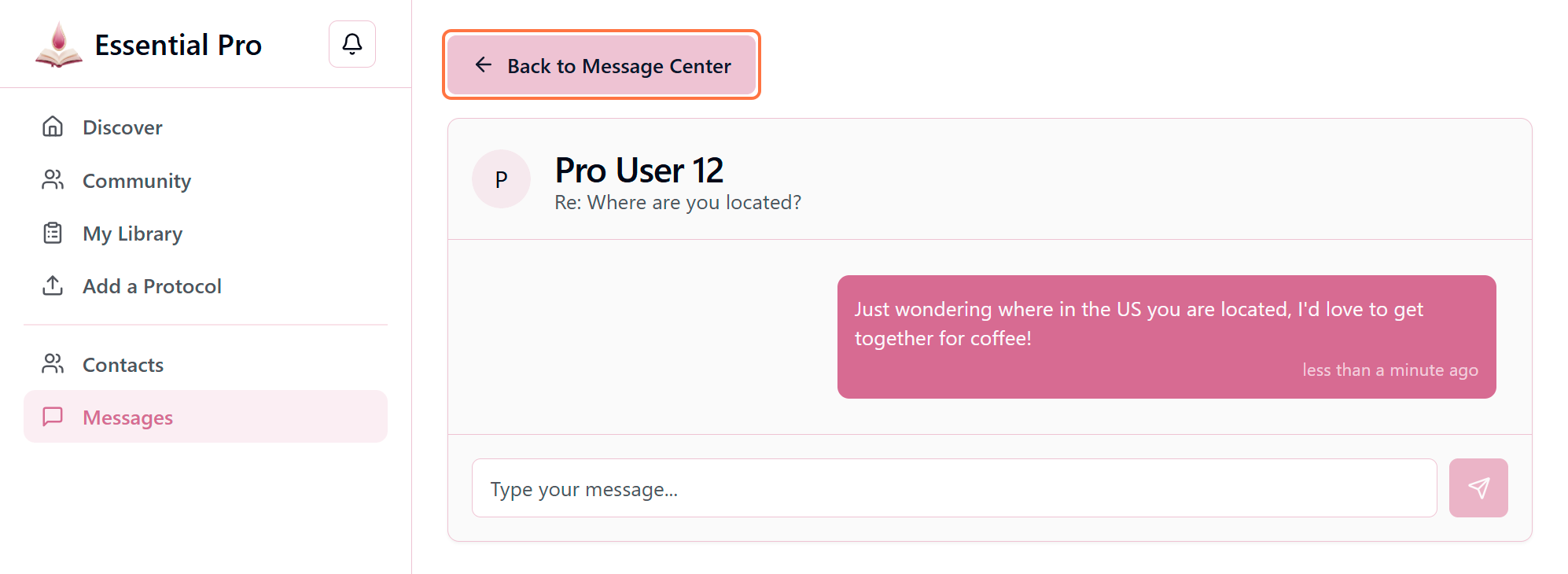
- 2Click any conversation to open the full message thread and respond.
Understanding Your Inbox
📬 Inbox Organization
- Conversations sorted by most recent activity
- Unread messages highlighted at the top
- Preview of the last message in each thread
- Search messages by contact name or keywords
- Protocol-based conversations show protocol name
- Red badge shows total unread message count
How to Start a Message
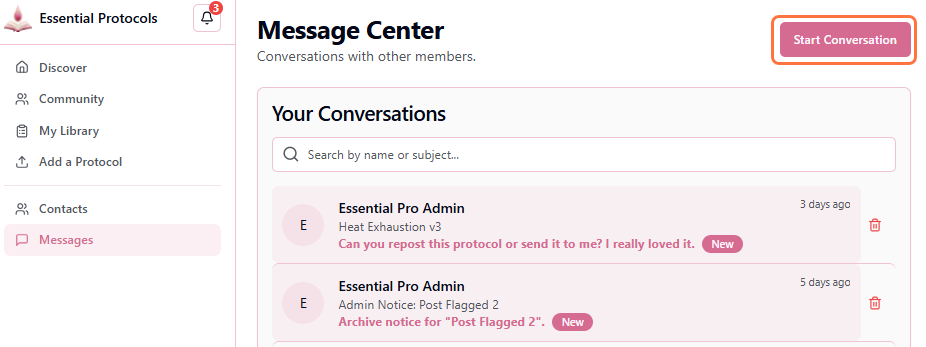
- 1From the Message Center, click the "Start Conversation" button
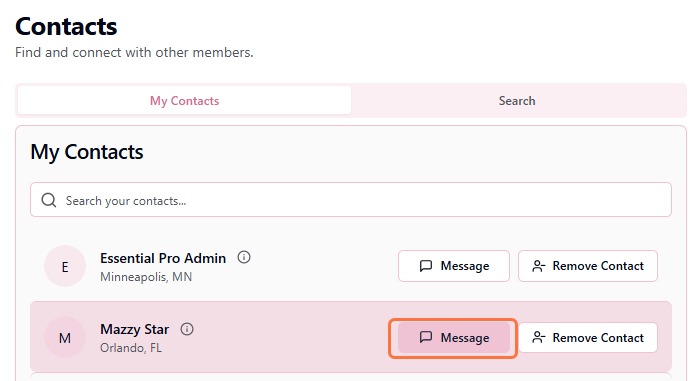
- 2Click the "Message" button next to a contact’s name in your Contacts list
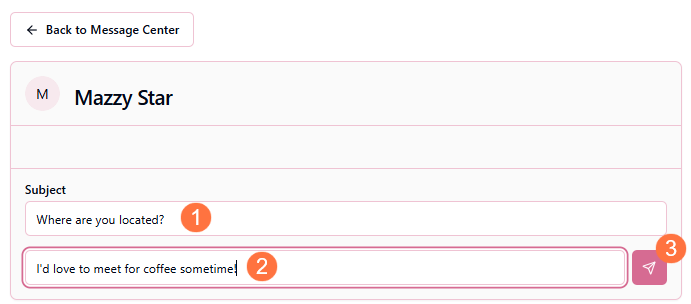
- 3Enter a subject and compose your message in the text box. Click Send when ready.
Crafting Quality Responses
✓ Effective Replies
- Acknowledge their question or concern first
- Provide specific, actionable advice
- Reference the protocol by name if applicable
- Break complex answers into numbered steps
- Offer to clarify if they need more help
- Close with encouragement or next steps
✗ Avoid These Mistakes
- Responding with vague "hope that helps"
- Ignoring specific questions they asked
- Being dismissive or condescending
- Sending one-word replies
- Taking days to respond without apologizing
- Providing medical advice (stay in your lane)
When Conversations Go Long
Knowing When to Take It Offline
If a message thread grows beyond 5-6 exchanges or becomes highly detailed:
- Suggest a phone call or video chat for complex topics
- Offer a paid consultation if appropriate
- Create a custom protocol addressing their specific needs
- Direct them to existing resources (your protocols, testimonials, etc.)
Handling Difficult Messages
Not all messages are easy to respond to. Here's how to handle challenging situations:
😤 Frustrated Users
Stay calm and empathetic. Acknowledge their frustration, apologize if appropriate, and focus on finding a solution.
🤔 Unclear Questions
Ask clarifying questions politely. "To help you better, could you tell me more about..." shows you care about giving the right answer.
🚫 Inappropriate Requests
Set clear boundaries. You're not required to provide medical advice, free consultations, or personal information.
⚠️ Harassment
Don't engage. Use the "Report" feature and block the user if needed. Admin team will handle violations.
The Art of Meaningful Conversation
Every message is an opportunity to make a difference in someone's wellness journey. The most memorable interactions aren't always the longest—they're the ones where someone felt truly heard and helped. Whether you're answering a quick question or having a deep discussion about protocol adaptation, bring genuine care and expertise to every response. Your thoughtful replies build trust, establish your reputation, and create the kind of community where everyone thrives. One message at a time, you're not just sharing wellness knowledge—you're creating healing connections.